Check your car's condition
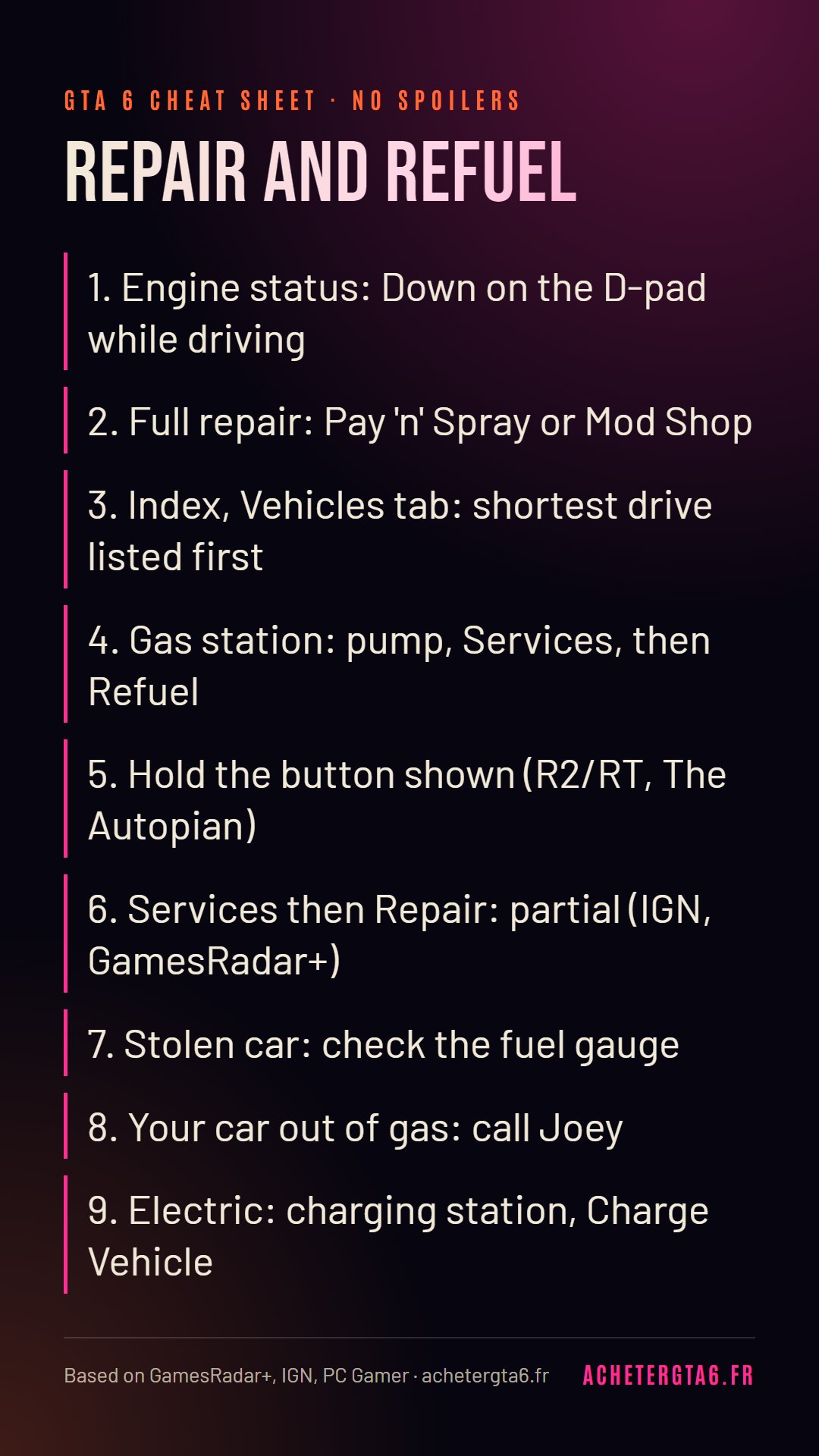
According to GamesRadar+ and IGN, press Down on the D-pad while driving: circular meters appear above the minimap, showing engine condition and, next to it, fuel. GamesRadar+ describes what damage does: the car slows, starts careening around, then catches fire. According to The Autopian, an alert appears when fuel runs low.
Repair: Pay 'n' Spray or Mod Shop
Once the engine reaches moderate or critical damage, GamesRadar+ suggests a Pay 'n' Spray or a Mod Shop: when you pull in, repair is the first option, for a fee. To find the nearest, open the map index, Vehicles tab: discovered locations are listed by shortest drive. According to IGN, Pay 'n' Sprays are marked by a pink spray can icon; Mod Shops are rarer, also repair, and offer much more (see customizing your car).
Gas stations: minor repairs
According to PC Gamer, the pump's Services menu also offers Repair: the camera swoops into the sky for a moment and your ride comes back fixed, for a price that depends on the damage. GamesRadar+ and IGN are more cautious: gas stations only handle minor damage, not critical damage, and cost far more than a specialist, according to GamesRadar+; they restore the car's look and a portion of engine health, not a 100% repair, according to IGN, whose beginner's guide still says you can quickly repair any vehicle at the pump.
How to refuel
The steps according to PC Gamer:
- Find a station on the map by its gas pump icon.
- Pull up close enough to a pump to see the Services prompt.
- Select Refuel: the cost is shown.
- Hold the button shown in the lower right corner (R2 on PS5, RT on Xbox, according to The Autopian).
According to PC Gamer, a full tank lasts a long time, but a stranger's car may be nearly empty; IGN suggests heading to a station or switching cars. Before launch, according to GamesRadar+, content creator TGG estimated it at about ten seconds, and Rob Nelson of Rockstar North called it "pretty fast for a fill-up". For electric cars, PC Gamer and IGN point to charging stations; PC Gamer mentions the Charge Vehicle option.
Out of gas, or on its roof
According to IGN, when only a sliver of fuel is left, the car slows down more and more, then stops. If it is yours, call Joey to tow it: the first time, IGN paid $557, without a full tank. The Autopian describes the same stop.
Car on its side or roof: according to IGN, get out and push it by walking into it with the left stick, then hold Square (X on Xbox) for a stronger shove. A heavy car may need pushing from the other side, or a hit from another vehicle.
Cheat and setting
According to GamesRadar+ and PC Gamer, a cheat fully repairs your vehicle: it unlocks when you finish first in 10 races at Gellhorn Raceway, Thrillbilly Mud Club and Boone Speedway, and its input had not been published yet. We track it on our cheat codes page. According to Push Square, the Reduced Vehicle Damage setting (Settings, then Gameplay) lowers the damage your car takes, without disabling trophies.
Our sources
Pages read on November 19, 2026:
- GamesRadar+, "How to repair cars in GTA 6", Josh West
- IGN, "How to Repair Your Vehicle"
- IGN, "Beginner's Guide - 67 Tips and Tricks"
- IGN, "Chapter 1 Guide and Tips"
- PC Gamer, "Refueling cars in GTA 6 is barely necessary, but there's much better reason to visit garages", Sean Martin
- GamesRadar+, "Rockstar boss says “we'll see what people say” about GTA 6's controversial refueling system, but thinks it's so fast that “you can't complain”", Catherine Lewis
- The Autopian, "GTA 6 Finally Fixes The Biggest Problem The Cars Of Grand Theft Auto Games Have Always Had", Mercedes Streeter
- GamesRadar+, "All GTA 6 cheats for PS5 and Xbox", Josh West
- PC Gamer, "Here's every cheat in GTA 6 to get infinite money, weapons, and vehicles", Sean Martin
- Push Square, "GTA 6: Tips & Tricks You Need to Know", Sammy Barker
This guide summarizes and credits these sources, without naming any mission. We have not tested it in game.