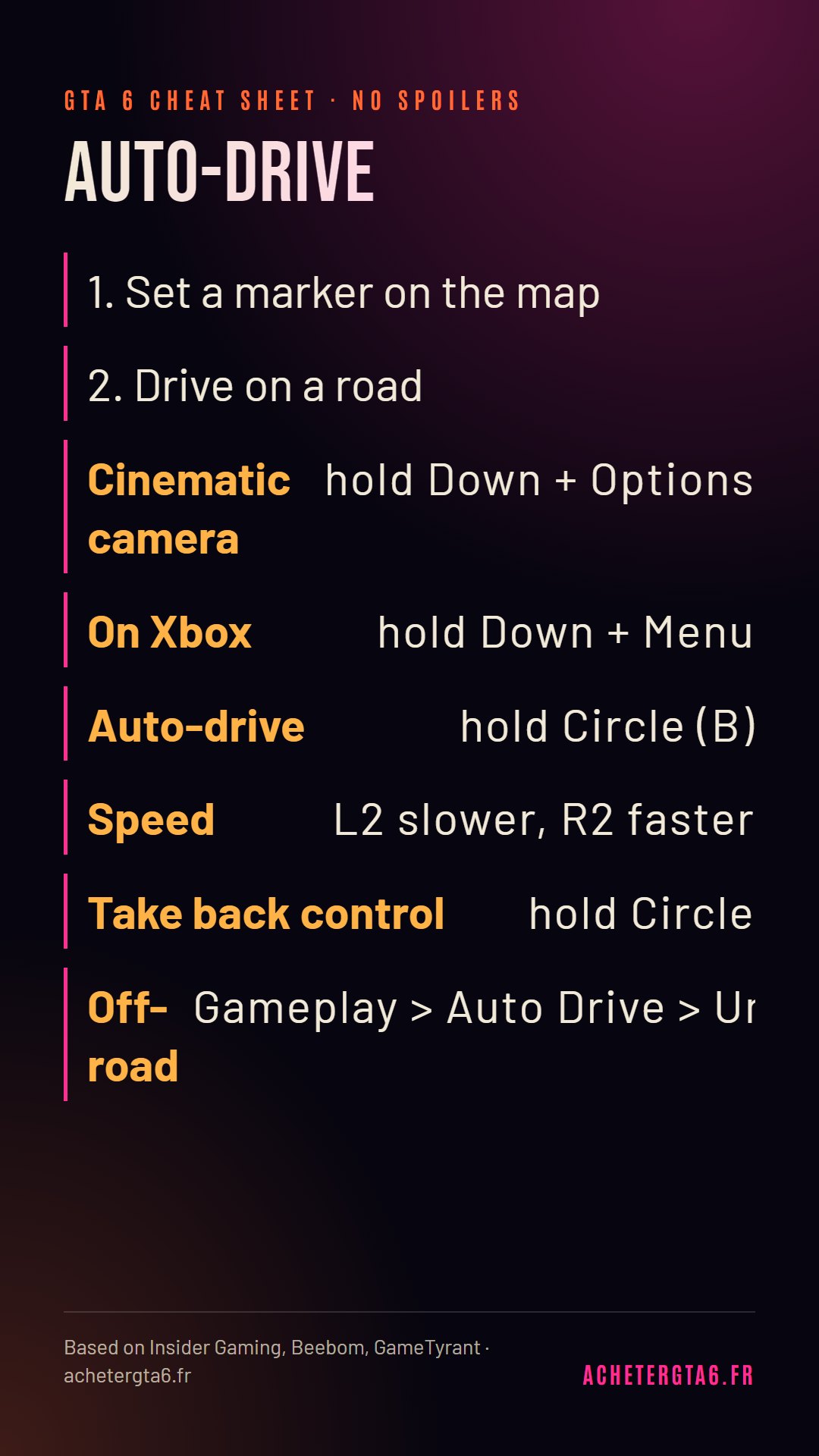
How to turn on auto-drive, step by step
- Set a destination marker on the map. Beebom says it is required and Insider Gaming makes it the first step; GameTyrant suggests it is not essential.
- Get in a vehicle and drive on a road: according to Playnews, it will not work from a garage or a shop parking lot.
- Hold Down on the D-pad and, without letting go, press Options (Menu on Xbox): the cinematic camera turns on.
- According to Beebom, accelerate slightly with R2 (RT on Xbox) until the prompt appears.
- Hold Circle (B on Xbox). Jason or Lucia drives to the marker.
These steps come from Insider Gaming, Beebom, GameTyrant and Playnews, which agree on the inputs.
Change the speed, take back control
According to Insider Gaming, there are three speeds, from slow to fast. Beebom sets them with the triggers: L2 (LT) to slow down, R2 (RT) to speed up. Do not expect to save time: according to Insider Gaming, your character never breaks a signal or any traffic rule, and according to Playnews, even the fastest setting stays slow. To take the wheel again, hold Circle (B) again, according to GameTyrant; to leave the cinematic camera, hold Down, according to Beebom.
Off-road: the "Unrestricted" setting
By default, auto-drive only works on roads, according to GameTyrant: driving onto a beach or off-road disables the prompt. In Settings, under the Gameplay tab, the Auto Drive option sits almost at the bottom of the page. Switch it to Unrestricted, according to GameTyrant and Beebom. According to GameTyrant, Jason and Lucia then try to reach the nearest road to continue toward your destination, and the menu warns they may hit trees, bushes or animals.
Two uses the guides point out
According to Playnews, miles covered on auto-drive count toward revealing the map: the fog clears as you pass, and one far-off marker reveals a large part of the state (single source). When Jason and Lucia ride together, Beebom also suggests letting your partner drive: hold Right on the D-pad and press R1 (RB) to switch to the other character; from the passenger seat, Right and Square (X on Xbox) asks them to speed up. For a truly quick trip, see our fast travel page.
Our sources
- Insider Gaming, "How to Enable Auto-Drive in GTA 6 - Cinematic View, Speed Options, and More", Sam Sepiol.
- Beebom, "How to Auto-Drive in GTA 6", Ishan Adhikary.
- GameTyrant, "How to Enable Unrestricted Auto Driving in GTA 6", Preston Singer.
- Playnews, "Conduite automatique GTA 6 : comment l'activer et l'utiliser pour explorer Leonida ?" (French), Alexandre Jollier.
Read on November 22, 2026. The em dash in the Insider Gaming title is replaced with a hyphen.