Opening Photo Studio
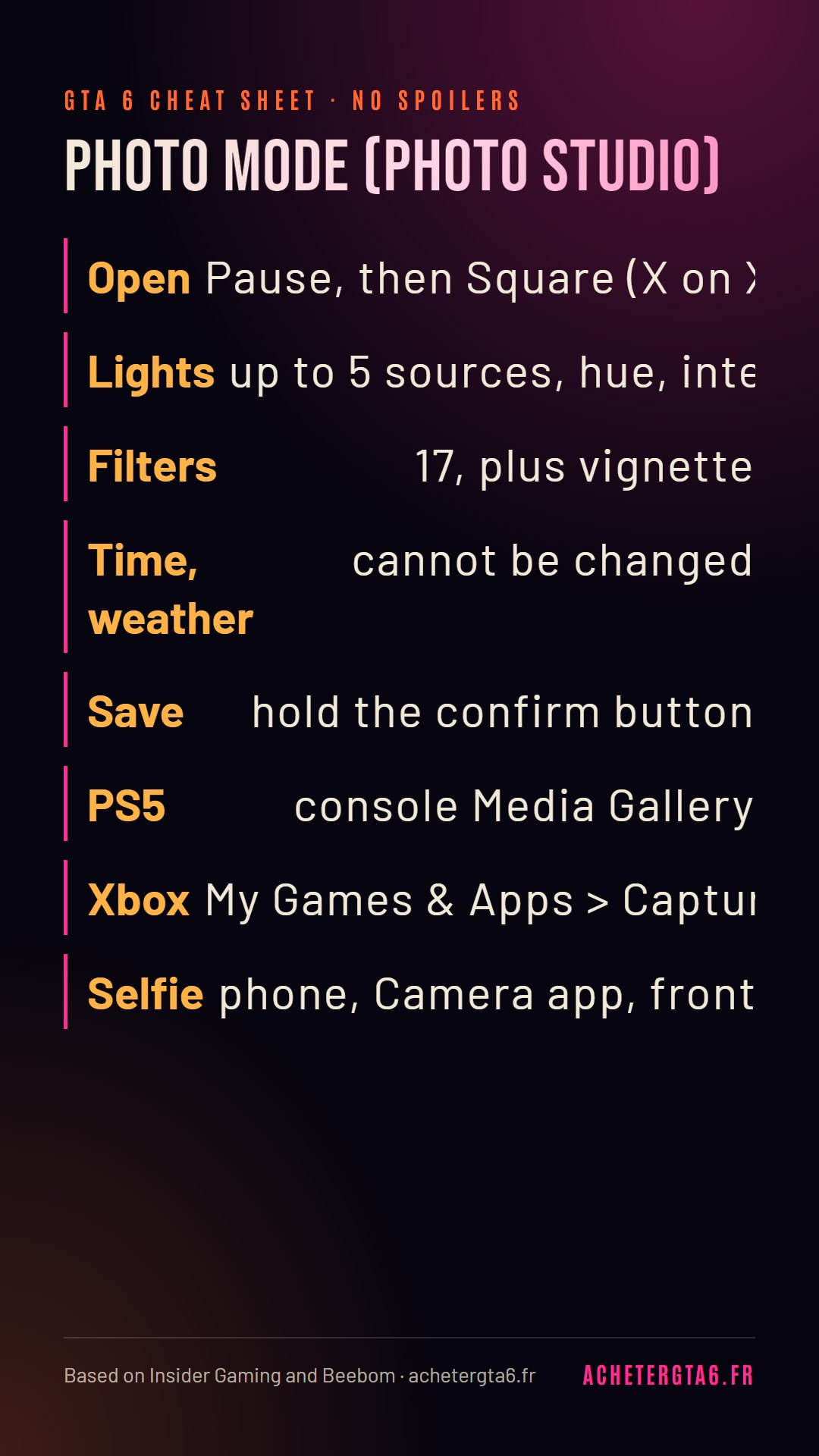
According to Beebom, pause with Options (PS5) or Menu (Xbox Series X|S), then select Photo Studio. Insider Gaming, TechRadar, Gfinity and games.gg give the shortcut: from the pause menu, Square on PS5 (X on Xbox) opens photo mode directly. According to Beebom, it is available as soon as you take control of the character in the prologue, with no mission to complete.
The settings
Photo Studio adjusts the camera angle, depth of field and filters, and can hide your character, according to Beebom. Gfinity mentions exposure, contrast and saturation, TechRadar aspect ratio and grain. TechRadar counts 17 filters plus a vignette setting.
Lighting is its strong point. You add light sources in layers and adjust their hue and intensity (Insider Gaming, games.gg); TechRadar also mentions their size and beam angle. Beebom counts up to five. Gfinity mentions professional reflectors, stage lights and ring lights.
What Photo Studio can't do
It cannot change the time of day or the weather, according to Insider Gaming, Beebom and games.gg: pick your moment before opening it. According to TechRadar, citing IGN, you cannot adjust Jason and Lucia's poses or facial expressions either. During cutscenes, Photo Studio works, but with fewer settings, according to Insider Gaming; Beebom adds that those options show as Currently Unavailable.
Saving and finding your photos
According to Insider Gaming, hold the confirm button to save the image. Beebom mentions the Save Photo option, or hiding the interface and using your console's screenshot feature. Photos do not go to the in-game phone but to your console gallery, according to Insider Gaming:
- PS5: the Media Gallery icon on the home screen, or your Game Library, under M if it is sorted alphabetically.
- Xbox: My Games & Apps, then Apps, then Captures.
Selfies and Snapmatic
For a selfie, Beebom says to open the phone (Up on the D-pad), the Camera app (third icon in the first row), then switch to the front camera. You can pick from six poses and seven facial expressions, and your partner's pose if they are with you. The rear camera zooms up to 5x, with grid lines and 17 filters, and the phone's Gallery app keeps those photos, according to Beebom.
The Snapmatic app shows photos posted by other people in Leonida: you can like them, read the comments and mark the location on your map, but you cannot post, according to Insider Gaming. The other apps are on our phone apps page.
Our sources
- Insider Gaming, "Does GTA 6 Have Photomode? How to Use Photo Studio and Snapmatic, Explained", Grant Taylor-Hill, read on November 22, 2026
- Insider Gaming, "Where Do Photo Studio Pictures Get Saved in GTA 6?", Ethan Krieger, read on November 22, 2026
- Beebom, "How to Use Photo Mode in GTA 6", Shubham Chaurasia, read on November 22, 2026
- TechRadar, "GTA 6 players hail the game's photo mode as a 'cinematography simulator' - pro lighting tools help capture its 'graphically beautiful' world", Mark Wilson, read on November 22, 2026 (the em dash in the original title is replaced by a hyphen)
- Gfinity, "GTA 6: How to Access & Use Photo Mode - Best Tips & Tricks", read on November 22, 2026
- games.gg, "Does GTA 6 Have a Photo Mode? Answered", Larc, read on November 22, 2026